
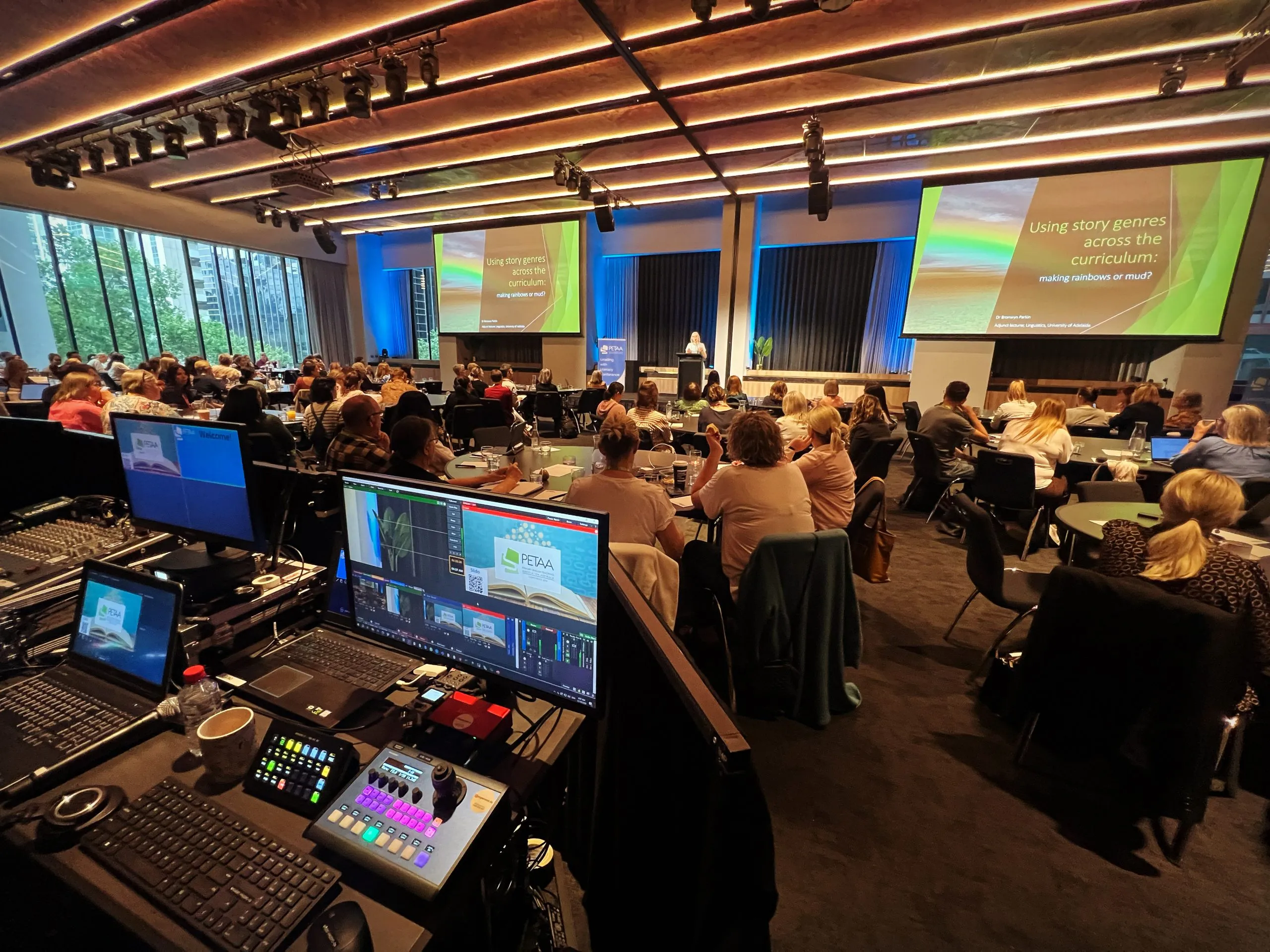
A runsheet (also called a running sheet) is the document that tells everyone what happens, when it happens, and who is responsible for making it happen. When it is good, the day runs calmly and nobody has to ask what is next. When it is vague, the show still goes ahead — it just goes ahead with people shouting into radios.
This guide covers what belongs on a runsheet, how to build one from scratch, and the details that separate a sheet your crew can actually run a show from one that looks tidy in a planning meeting and falls apart at doors.
What a runsheet is (and what it is not)
Three documents get used interchangeably, and that is where a lot of the confusion starts:
- An agenda is for the audience. It says what attendees will experience and when.
- A runsheet is for the crew. It says what has to happen, in what order, who owns it, and what could go wrong.
- A cue sheet is for the technical team specifically. It is the granular list of lighting, audio, video and streaming cues, marked against the runsheet's timings.
A runsheet sits in the middle. It is the master timeline, and the cue sheet is derived from it. If you only have time to get one right, get the runsheet right — everything else hangs off it.
What belongs on a runsheet
At minimum, every line item needs six things:
| Column | What goes in it |
|---|---|
| Time | The planned start time, in the venue's local time |
| Duration | How long the item should run, in minutes |
| Item | What it is, in plain language ("Welcome and housekeeping") |
| Owner | One named person, not a team or a role |
| AV / technical notes | Mics, slides, playback, lighting, streaming state |
| Notes / dependencies | What must be true before this can start |
Two additions are worth the effort:
A show call column. Who is calling this moment — the show caller, stage manager or producer. If it is not clear, two people will try to run the same transition.
A contact strip at the top. Venue address, loading dock access, wifi details, key mobile numbers, and the comms channel plan. When something goes wrong at 7:40am, nobody wants to be searching their inbox for a phone number.
How to build one, step by step
1. Start from the raw material
Collect everything that already exists: the client's program, the speaker briefs, the script, any presentation decks, and the catering or registration timings. Ask what time the venue opens and when the room must be empty — those two facts anchor the whole day.
2. Build the timeline backwards
Lock the fixed points first — doors, keynote, breaks, awards, close — then fill the gaps. Most overruns are created before the event, when a planning meeting quietly schedules five extra minutes into every session. If the maths does not fit, cut content now rather than hoping to make it up on the day.
3. Give every line one owner
"Production" is not an owner. If a name is not against it, assume it will not happen. This is the single biggest predictor of how smoothly a show runs.
4. Add the technical layer
For each item, note the audio and video state: which mics are live, which slides are loaded, whether the stream is on a break slate, and what the room lighting should be doing. This is where your AV provider earns their fee, and where you should be working with them rather than handing over a document the week of the show. Our guide to what your production team needs to know when planning a live event covers that handover in more depth.
If you are streaming, add a column for stream state. Audience-facing timing and stream timing drift apart quickly, and latency matters more than most planners expect.
5. Version it properly
Put a version number and a date in the header, and never distribute
a sheet without one. Name the file consistently —
ClientName_Runsheet_v4_2026-03-14.pdf beats
Runsheet FINAL final(2).xlsx.
Decide one channel for updates (usually a group chat plus a shared link) and tell everyone that the printed copy in their hand is already out of date.
6. Run it, then log the actuals
On the day, have one person record the actual start and finish times next to the planned ones. Those notes are your only honest data for planning the next event, and they will tell you where your estimates are optimistic.
A worked example
Here is what a morning looks like for a single-room conference:
| Time | Dur | Item | Owner | AV / technical notes |
|---|---|---|---|---|
| 07:00 | 60 | Crew call, room check | AV lead | Full system test, mics rung out, playback patched |
| 08:00 | 30 | Doors and registration | Event manager | Walk-in playlist, house mics off, stream on slate |
| 08:30 | 10 | Welcome and housekeeping | Host | Handheld mic, slide 1, stage lighting to wash |
| 08:40 | 40 | Keynote | Producer | Lav plus backup handheld, confidence monitor on, stream live |
| 09:20 | 15 | Q&A | Host | Two roving mics, questions queued in comms |
| 09:35 | 25 | Morning tea | Event manager | Mics muted, stream to break slate, lighting up |
Notice how much of the value sits in the last two columns. "Keynote, 08:40" tells you nothing you could not guess. The mic plan, the stream state and a named owner tell you what to actually do.
Mistakes that derail show day
- No named owners. Everyone assumes someone else is on it.
- Times without durations. The first overrun cascades and there is no slack to absorb it.
- A runsheet built without the AV team. The technical detail arrives too late to resource properly.
- Ten versions in circulation. Someone works from a superseded sheet and cues the wrong slide.
- No break or contingency items. Unstructured time is where shows get lost.
- No one calling the show. Without a show caller, transitions get made twice or not at all.
Frequently asked questions
Is a runsheet the same as a running order?
Practically, yes. A running order usually means the sequence of items; a runsheet adds timings, owners and technical detail. In Australia you will often hear "running sheet".
How long should a runsheet be?
As long as the day needs and no longer. A half-day conference typically runs to one to three pages. If it is twelve pages, it is probably doing the cue sheet's job too — split them.
Who should write it?
Usually the event or production manager, with input from the AV provider, the client and anyone who owns a segment. One person has to own the final version.
How late can it change?
Line items can change up to the day. Times should be locked 24 to 48 hours out so the technical team can build and test against them.
Should I share it with the client?
Yes — share a simplified version. Keep the full sheet, with comms channel plans and crew calls, internal.
Getting the runsheet right
A runsheet is a small document that does a large amount of work: it aligns a client, a venue, a crew and a technical team around one sequence of events that everyone has agreed to in advance.
If you would rather not build the technical half of it alone, talk to the MyEvent Productions team before your next show, or send us the details — we will help you plan the running order and the cues behind it.