
How to plan a hybrid event: a production checklist
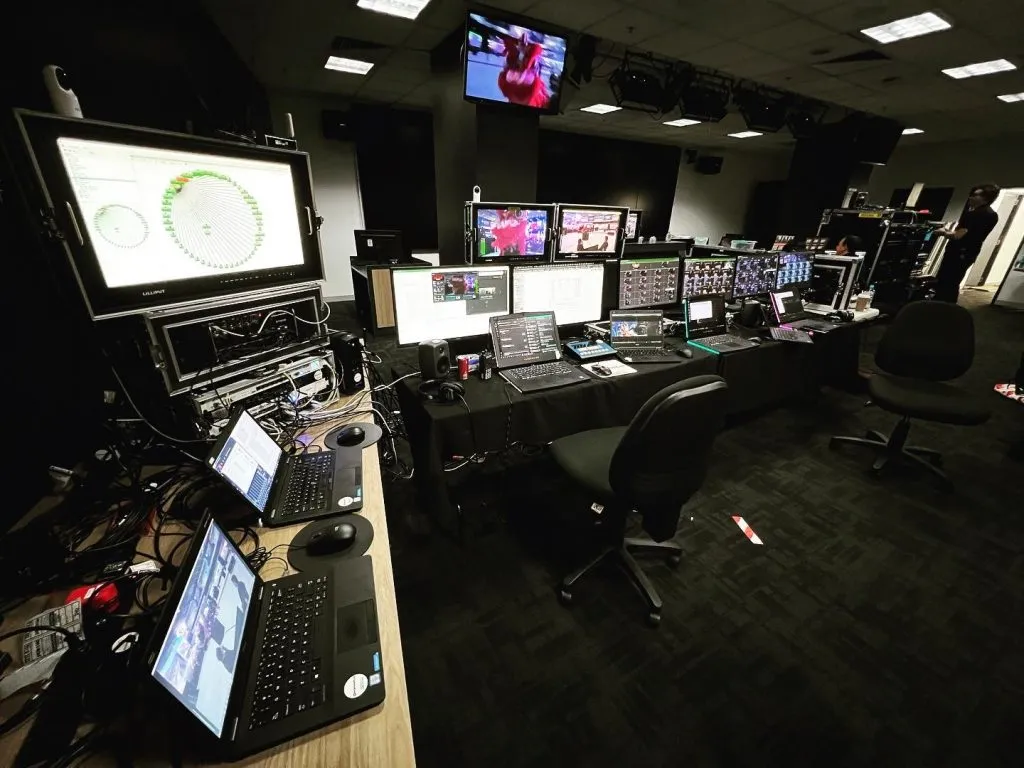
A hybrid event has two audiences: the people in the room and the people watching on a screen. They are at the same event, but they are not having the same experience, and most hybrid events that disappoint do so because they were planned for the room and streamed as an afterthought.
This checklist walks through the production decisions in the order they need to be made, from the first venue call to the recording you send out afterwards. It is written for organisers in Melbourne and around Australia, but the sequence holds anywhere.
Start with the remote audience
Before you look at cameras or platforms, answer three questions. The answers decide almost everything else on this list.
- Who is watching remotely, and why? Staff in other offices, paying delegates and the general public each need a different level of polish and access control.
- Do they need to take part? Watching is simple. Asking questions, voting or presenting from another city adds equipment, crew and rehearsal time.
- What happens if the stream stops? For an internal update, an apology and a recording may be fine. For an AGM or a product launch, it is not.
The checklist at a glance
| When | What to lock in |
|---|---|
| 6 to 8 weeks out | Audience goals, platform, venue internet, production partner |
| 3 to 4 weeks out | Camera plan, audio plan, remote presenters, Q&A method |
| 1 to 2 weeks out | Runsheet, slide formats, remote presenter tests, backup plan |
| Day before | Full technical rehearsal on the real connection |
| Show day | Stream check, comms check, someone watching as a viewer |
| Within a week after | Edited recording, viewer numbers, lessons for next time |
1. Test the venue internet yourself
The connection is the single most common point of failure, and the figure on the venue's information sheet is rarely the figure you get on the day. Ask for a wired connection that is dedicated to production and not shared with guest Wi-Fi, then test the upload speed in the room you will actually use.
As a guide, a single 1080p stream typically needs a stable 10 Mbps upload with headroom. Stable matters more than fast: a line that averages 50 Mbps but drops for five seconds every few minutes will ruin a stream that a steady 15 Mbps line would carry all day.
For any event that cannot afford to drop, plan a second path on a different provider or technology, such as a bonded cellular unit, with an operator briefed to switch.
2. Treat audio as the priority
Remote viewers will forgive an average camera angle. They will not sit through audio they have to strain to hear. The room's PA mix is built for the room, so the stream needs its own mix.
- Give every presenter and panellist their own microphone.
- Put a microphone on audience questions, or have the moderator repeat each question, so remote viewers are not left guessing.
- Decide how remote presenters will hear the room and how the room will hear them, and test for echo before the day.
- Have someone listen to the stream on ordinary headphones, not the desk monitors.
3. Plan cameras for the screen, not the room
One wide shot from the back of the room is a security camera, not a broadcast. Even a modest hybrid event benefits from two angles: a close shot of whoever is speaking and a wider shot for context. A third camera on the audience helps remote viewers feel the room.
Slides should go to the stream as a direct feed from the presentation computer, mixed alongside the camera, never filmed off the projection screen. Ask presenters for slides in 16:9 with text large enough to read on a laptop.
4. Choose the platform by what viewers must do
Pick the platform after you know what the remote audience needs, not before.
- Watch only, public: YouTube or Vimeo, with a page on your own site if you want to control the surroundings.
- Watch only, restricted: a private or password-protected stream for staff, members or ticket holders.
- Take part: Microsoft Teams or Zoom, where attendees can ask questions, vote or be brought on screen.
A stream can go to more than one destination at once, for example a public feed and a private one for internal staff. If the choice between a meeting and a webinar is the sticking point, we cover it in Zoom meetings vs webinars.
5. Bring remote presenters in properly
A remote presenter should feel like part of the programme, not a video call projected on a wall. That takes a little structure:
- Bring them in on a dedicated call that the production team manages, separate from the public stream.
- Test each presenter's camera, microphone, lighting and connection in advance, at the location they will present from.
- Brief them on timing and on who will cue them, and agree what happens if their connection fails mid-session.
6. Give remote questions an owner
If remote viewers can ask questions, one named person needs to read them, choose them and put them to the stage. Without that person, the chat fills up, nobody on stage sees it, and the remote audience learns that taking part is pointless. Build the moments for remote questions into the running order rather than hoping there is time.
7. Write the runsheet for both audiences
A hybrid runsheet has to say what the stream shows during every minute of the day, including the minutes when nothing is happening on stage. Decide in advance what remote viewers see during breaks, room resets and lunch: a holding slide with a countdown, a pre-recorded segment or an interview. An unexplained empty stage is where remote viewers leave.
If you have not built one before, our guide to creating a runsheet for live events covers the format.
8. Rehearse on the real connection
A technical rehearsal in the venue, on the connection you will use, is the cheapest insurance in the budget. Run the opening, one slide change, one video with sound, one remote presenter and one remote question. Watch the result as a viewer would, on a laptop and on a phone. Delay between the room and the stream is normal; we explain why and how much to expect in why latency matters in live event streaming.
9. Agree the backup plan before you need it
Things fail quietly and at bad moments. Decide now what happens when they do, and who makes the call.
- Internet: second connection, operator ready to switch.
- Remote presenter: a pre-recorded version of the talk, or a reordered session.
- Platform: a second destination already set up and tested.
- Everything: a local recording running throughout, so the content can be released later whatever happens live.
10. Plan what happens after
The recording is often worth more than the live stream. Decide before the event who gets it, in what form and how quickly. Trimmed session recordings, short highlights and captions all take time, and they are far easier to deliver when the production team knows on the day that they are needed.
Frequently asked questions
What is the difference between a hybrid event and a live stream?
A live stream shows an event to people who are not there. A hybrid event is designed for both audiences, so remote viewers get purpose-built audio, camera work and a way to take part.
How much internet speed does a hybrid event need?
It depends on resolution and encoding settings, but a single 1080p stream typically needs a stable 10 Mbps upload with headroom. Always test the actual venue connection rather than relying on the advertised figure.
How many cameras do we need?
Two is a sensible minimum for a presentation: a close shot and a wide shot. Panels, awards and multi-stage events usually need more.
Can remote presenters join from interstate or overseas?
Yes. They join on a managed video call and are mixed into the programme. The limits are their local connection and the time zone, which is why testing in advance matters.
How far ahead should we book production?
Six to eight weeks is comfortable for most corporate events. It can be done faster, but the venue internet test and remote presenter checks are the steps that suffer when time is short.
Planning a hybrid event in Melbourne
A hybrid event works when both audiences are planned for from the start. Get the connection, the audio and the rehearsal right and most of the rest follows.
If you would like a production team to take this list off your hands, see our live streaming and hybrid event production service, book a time to talk it through, or send us the details of your event.